
MinerU服务部署
MinerU是一款由OpenDataLab研发,将PDF或图片转换为机器可读格式(如Markdown、json)的工具,可以在很多项目中作为OCR服务进行集成,大大提高开发过程中提取pdf扫描件、图片中信息的效率。
感兴趣的朋友可以先在线体验下MinerU提供的官方接口MinerU-免费全能的文档解析神器。同时,MinerU提供了便捷的部署方式,有助于快速搭建环境并解决一些令人头疼的环境兼容问题,可以很高效地在内网和离线环境中部署服务。
这是官方提供的一个技术说明和配置要求表格,可以先做些简单了解:
| 特性 | pipeline | vlm-transformers | vlm-sglang |
|---|---|---|---|
| 操作系统 | Linux / Windows / macOS | Linux / Windows | Linux / Windows (via WSL2) |
| CPU推理支持 | 支持 | 不支持 | 同前 |
| GPU要求 | Turing及以后架构,6G显存以上或Apple Silicon | Turing及以后架构,8G显存以上 | 同前 |
| 内存要求 | 最低16G以上,推荐32G以上 | 同前 | 同前 |
| 磁盘空间要求 | 20G以上,推荐使用SSD | 同前 | |
| Python版本 | 3.10-3.13 | 同前 |
###
1.使用Dockerfile构建镜像
首先下载Dockerfile文件:
wget https://gcore.jsdelivr.net/gh/opendatalab/MinerU@master/docker/china/Dockerfile
我在构建镜像过程中遇到了一些问题,所以对原来了Dockerfile文件做了几处修改,内容如下:
# Use DaoCloud mirrored sglang image for China region
# FROM local/sglang:cu126
# For blackwell GPU, use the following line instead:
# 修改1:使用docker desktop拉取这个基础镜像,我直接拉取了docker.io上的基础镜像
# FROM docker.m.daocloud.io/lmsysorg/sglang:v0.4.9.post6-cu128-b200

# Use the official sglang image
FROM lmsysorg/sglang:v0.4.9.post6-cu126
# For blackwell GPU, use the following line instead:
# FROM lmsysorg/sglang:v0.4.9.post6-cu128-b200

# Install libgl for opencv support & Noto fonts for Chinese characters
# 修改2:由于fonts-noto-core等几个字体包太大,从ubuntu官方镜像站下载可能会导致中断,所以直接替换为阿里源
RUN sed -i 's|http://.*.ubuntu.com|http://mirrors.aliyun.com|g' /etc/apt/sources.list && \
    apt-get update && \
    apt-get install -y \
        fonts-noto-core \
        fonts-noto-cjk \
        fontconfig \
        libgl1 && \
    fc-cache -fv && \
    apt-get clean && \
    rm -rf /var/lib/apt/lists/*

# Install mineru latest
RUN python3 -m pip install -U 'mineru[core]' -i https://mirrors.aliyun.com/pypi/simple --break-system-packages && \
    python3 -m pip cache purge

# Download models and update the configuration file
RUN /bin/bash -c "mineru-models-download -s modelscope -m all"

# Set the entry point to activate the virtual environment and run the command line tool
ENTRYPOINT ["/bin/bash", "-c", "export MINERU_MODEL_SOURCE=local && exec \"$@\"", "--"]
使用我修改后的Dockerfile文件应该可以正常构建镜像,命令如下:
docker build -t mineru-sglang:latest -f Dockerfile .
由于镜像过大,趁这个时候可以浅浅摸一会儿🐟。
这里有一点问题,不知道大家是否注意到了。直接从docker.io拉取基础镜像,这并不是个好的解决办法,因为这里涉及到了一些科学上网方面的知识,因此我们可以从国内拉取基础镜像,在基础镜像基础上构建sglang:v0.4.9.post6-cu126这个镜像。这个操作我会在最后说明。
2.启动 Docker 容器
docker run --gpus all \
  --shm-size 32g \
  -p 30000:30000 -p 7860:7860 -p 8000:8000 \
  --ipc=host \
  -it mineru-sglang:latest \
  /bin/bash
执行该命令后,您将进入到Docker容器的交互式终端,并映射了一些端口用于可能会使用的服务,您可以直接在容器内运行MinerU相关命令来使用MinerU的功能,也可以直接通过替换/bin/bash为服务启动命令来启动MinerU服务,
3.通过 Docker Compose 直接启动服务
OpenDataLab提供了 docker-compose.yaml 文件,可以通过该文件快速启动MinerU服务:
wget -O docker-compose.yaml https://gcore.jsdelivr.net/gh/opendatalab/MinerU@master/docker/compose.yaml
该文件中包含了MinerU的多个服务配置,可以根据需要启动指定的服务:
services:
  mineru-sglang-server:
    image: mineru-sglang:latest
    container_name: mineru-sglang-server
    restart: always
    profiles: ["sglang-server"]
    ports:
      - 30000:30000
    environment:
      MINERU_MODEL_SOURCE: local
    entrypoint: mineru-sglang-server
    command:
      --host 0.0.0.0
      --port 30000
      # --enable-torch-compile  # You can also enable torch.compile to accelerate inference speed by approximately 15%
      # --dp-size 2  # If using multiple GPUs, increase throughput using sglang's multi-GPU parallel mode
      # --tp-size 2  # If you have more than one GPU, you can expand available VRAM using tensor parallelism (TP) mode.
      # --mem-fraction-static 0.5  # If running on a single GPU and encountering VRAM shortage, reduce the KV cache size by this parameter, if VRAM issues persist, try lowering it further to `0.4` or below.
    ulimits:
      memlock: -1
      stack: 67108864
    ipc: host
    healthcheck:
      test: ["CMD-SHELL", "curl -f http://localhost:30000/health || exit 1"]
    deploy:
      resources:
        reservations:
          devices:
            - driver: nvidia
              device_ids: ["0"]
              capabilities: [gpu]

  mineru-api:
    image: mineru-sglang:latest
    container_name: mineru-api
    restart: always
    profiles: ["api"]
    ports:
      - 8000:8000
    environment:
      MINERU_MODEL_SOURCE: local
    entrypoint: mineru-api
    command:
      --host 0.0.0.0
      --port 8000
      # parameters for sglang-engine
      # --enable-torch-compile  # You can also enable torch.compile to accelerate inference speed by approximately 15%
      # --dp-size 2  # If using multiple GPUs, increase throughput using sglang's multi-GPU parallel mode
      # --tp-size 2  # If you have more than one GPU, you can expand available VRAM using tensor parallelism (TP) mode.
      # --mem-fraction-static 0.5  # If running on a single GPU and encountering VRAM shortage, reduce the KV cache size by this parameter, if VRAM issues persist, try lowering it further to `0.4` or below.
    ulimits:
      memlock: -1
      stack: 67108864
    ipc: host
    deploy:
      resources:
        reservations:
          devices:
            - driver: nvidia
              device_ids: [ "0" ]
              capabilities: [ gpu ]

  mineru-gradio:
    image: mineru-sglang:latest
    container_name: mineru-gradio
    restart: always
    profiles: ["gradio"]
    ports:
      - 7860:7860
    environment:
      MINERU_MODEL_SOURCE: local
    entrypoint: mineru-gradio
    command:
      --server-name 0.0.0.0
      --server-port 7860
      --enable-sglang-engine true  # Enable the sglang engine for Gradio
      # --enable-api false  # If you want to disable the API, set this to false
      # --max-convert-pages 20  # If you want to limit the number of pages for conversion, set this to a specific number
      # parameters for sglang-engine
      # --enable-torch-compile  # You can also enable torch.compile to accelerate inference speed by approximately 15%
      # --dp-size 2  # If using multiple GPUs, increase throughput using sglang's multi-GPU parallel mode
      # --tp-size 2  # If you have more than one GPU, you can expand available VRAM using tensor parallelism (TP) mode.
      # --mem-fraction-static 0.5  # If running on a single GPU and encountering VRAM shortage, reduce the KV cache size by this parameter, if VRAM issues persist, try lowering it further to `0.4` or below.
    ulimits:
      memlock: -1
      stack: 67108864
    ipc: host
    deploy:
      resources:
        reservations:
          devices:
            - driver: nvidia
              device_ids: [ "0" ]
              capabilities: [ gpu ]
通过观察这个文件,不难发现MinerU主要提供三个服务:
1. sglang-server 服务
通过vlm-sglang-client后端连接sglang-server:
docker compose --profile sglang-server up -d
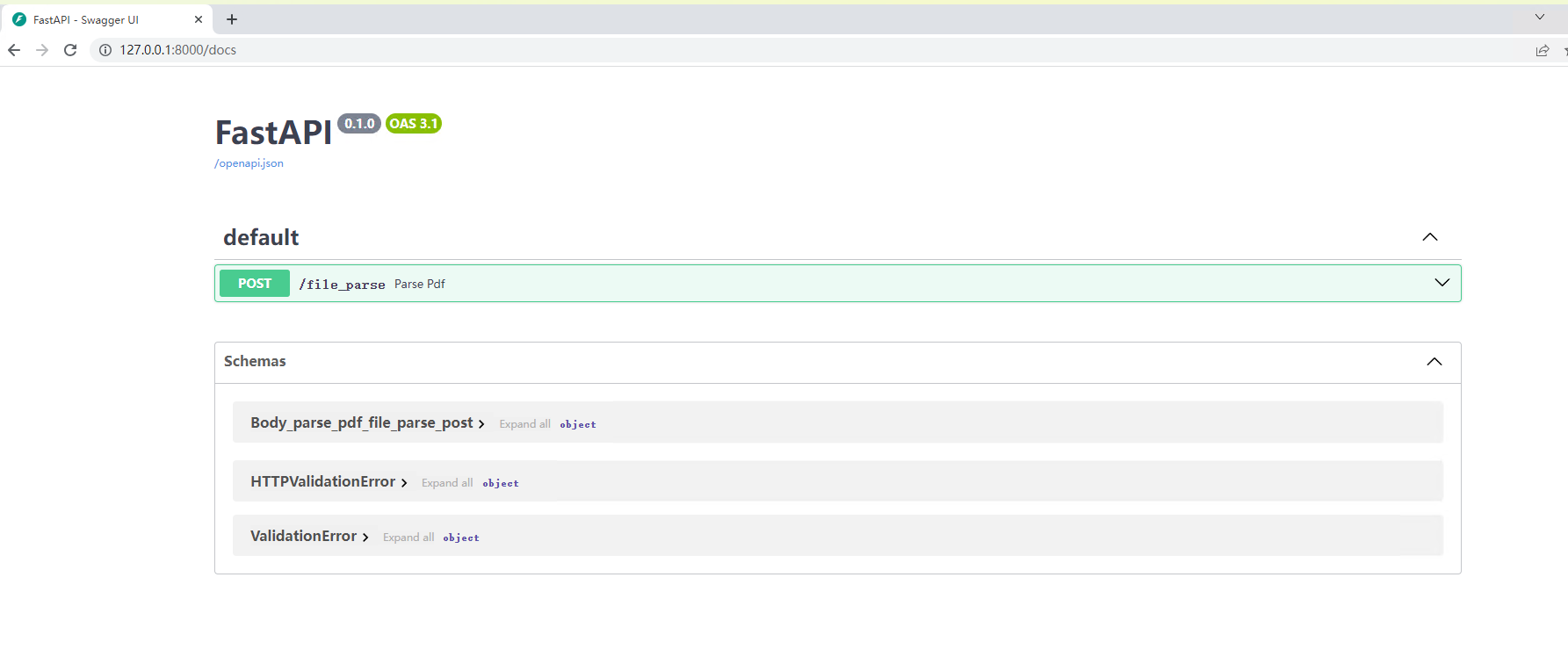
2. Web API 服务
docker compos --profile api up -d
在浏览器中访问 http://<server_ip>:8000/docs 查看API文档。
3. Gradio WebUI 服务
这个服务主要功能是提供了一个可视化界面,用来帮助用户体验MinerU提取PDF、图片信息的效果。
docker compose --profile gradio up -d
在浏览器中访问 http://<server_ip>:7860 使用 Gradio WebUI。
访问 http://<server_ip>:7860/?view=api 使用 Gradio API。
到这里整个MinerU服务就部署完成可以正常使用了,后续想要将 MinerU 投入生产环境中还需要做3个工作:
- 压力测试,测试最大并发量;
- 对上传临时文件进行管理,这涉及到二次开发工作。
完成部署只是第一步,后续想要将MinerU集成进现有的系统,还需要对接口进行二次开发,至少需要搞明白sglang的工作原理,然后找到mineru-api这个容器服务的代码,这样才能由二次开发的基础。
随便讲讲
想要保证MinerU服务正常启动,首先需要确保Cuda不低于12.6,但是问题来了,我并没有从国内的镜像站上找到满足版本要求的sglang镜像。docker.io镜像站倒是有,但是这个拉取速度就一言难尽了,所以我尝试自行构建sglang镜像。
首先,从Dockerfile中不难判断出,使用apt 进行包管理,不难判断出这是一个基于Ubuntu或Debian的操作系统,从docker.io镜像站中查找到了对应 tag 为 v0.4.9.post6-cu126 镜像的操作系统版本为 Ubuntu 22.04,因此可以直接将其作为基础镜像,Dockerfile如下:
# 基础镜像:CUDA 12.6 + Ubuntu 22.04
FROM swr.cn-north-4.myhuaweicloud.com/ddn-k8s/docker.io/nvidia/cuda:12.6.3-cudnn-devel-ubuntu22.04

# 设置环境变量
ENV DEBIAN_FRONTEND=noninteractive \
    TZ=Asia/Shanghai \
    PIP_INDEX_URL=https://pypi.tuna.tsinghua.edu.cn/simple

# 换源 & 安装基础依赖
RUN sed -i 's/archive.ubuntu.com/mirrors.tuna.tsinghua.edu.cn/g' /etc/apt/sources.list && \
    sed -i 's/security.ubuntu.com/mirrors.tuna.tsinghua.edu.cn/g' /etc/apt/sources.list && \
    apt-get update && apt-get install -y \
    git \
    curl \
    wget \
    build-essential \
    python3 \
    python3-pip \
    python3-venv \
    ninja-build \
    cmake \
    libnuma1 \
    libglib2.0-0 && \
    && rm -rf /var/lib/apt/lists/*

# 升级 pip
RUN python3 -m pip install --upgrade pip setuptools wheel

# 克隆 sglang 源码
WORKDIR /workspace
# RUN git clone https://gitee.com/mirrors/sglang
COPY sglang-v0.4.9.post6 /workspace/sglang
WORKDIR /workspace/sglang

# 切换到稳定版本(v0.4.9.post6)
# RUN git checkout v0.4.9.post6

# 安装依赖并构建
RUN pip install -e "python[all]"

# 默认启动交互式 shell
CMD ["/bin/bash"]
这里我是直接将对应版本的sglang源码下载到了本地,因为容器内部没有设置gitee的DNS,这里也可以在执行docker build命令时指定DNS服务器,也可以通过我的方式,不过需要对应修改Dockerfile内容。
开始构建:
docker build -t sglang:v0.4.9.post6-cu126 .
构建好之后,就做好了 MinerU 的基础镜像,就可以开始构建了。
遇到任何问题,先用 docker logs -f 配合一些点点点操作来看看日志,通过日志可以解决很多问题。
不夸张地说,日志分析能力是实施、运维工作中的一大利器。